How to Build an AI-Powered Automation Layer Into Your SaaS Product in 30 Days
A practical framework for adding intelligent automation to your SaaS without rebuilding from scratch. Learn how to layer AI into existing products quickly.
Aamir Sohail, Co-Founder, XenonDev
, 8 min read
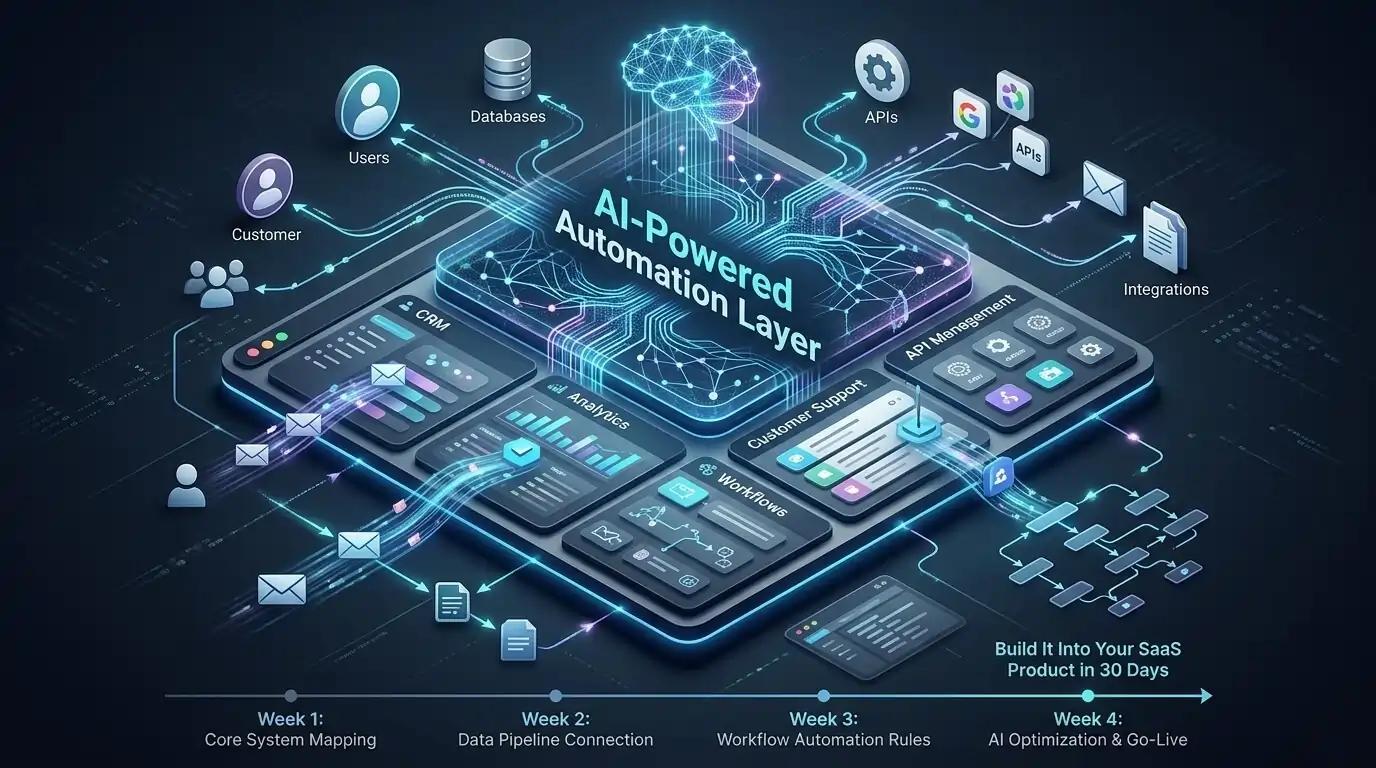
Every SaaS founder is asking the same question right now: 'How do I add AI to my product before my competitors do?' The good news is that adding a meaningful automation layer doesn't require a complete rebuild. At XenonDev, we've helped dozens of operators add AI-powered features to existing platforms in tight timelines, and there's a repeatable formula that works.
The key insight: you don't need to integrate deep AI into your core product logic. Instead, you build a thin automation layer that sits on top of your existing workflows, handling repetitive tasks, data transformation, and decision-making without touching your database schema or core architecture. This approach reduces risk, accelerates delivery, and lets you validate market demand before committing engineering resources.
In this guide, we'll walk you through the exact framework we use to ship AI automation in 30 days. You'll learn what to automate first, how to architect it safely, and how to measure whether it's actually moving your metrics.
Identify Your Automation Bottleneck (Days 1-2)
The worst mistake is automating the wrong thing. Founders often pick 'sexy' AI applications instead of the workflows that actually waste customer time. Before you write a single line of code, audit where your customers and team spend unproductive time.
Look for three patterns: (1) Repetitive data entry or transformation—copying information between systems, formatting fields, or categorizing items. (2) Conditional logic applied by humans—'if this, then do that'—that's rule-based enough for automation. (3) Time-consuming review cycles—where customers or support teams manually validate work before it ships. These are your gold zones.
Talk to five of your power users directly. Ask: 'What single task, if it disappeared tomorrow, would save you the most time each week?' Don't ask about AI or automation—that biases their answer. Just ask what's tedious. You'll find the real bottleneck faster than any internal brainstorm.
Once you've identified your target workflow, measure its current cost. If a customer spends 30 minutes per day on task X, and there are 100 customers, that's 50 hours weekly of stolen time. Document this number—you'll need it to sell the feature internally and to customers.
Design the Automation Layer Architecture (Days 3-5)
The cleanest way to add AI without touching your core application is to build it as a separate microservice or worker process. Think of it as a traffic cop that watches your existing workflows, intercepts specific events, processes them through AI logic, and writes results back into your system via your normal API.
Here's the basic architecture: (1) Your main product fires an event when a specific action occurs—'user uploaded a document,' 'support ticket created,' etc. (2) Your automation worker listens for that event. (3) The worker fetches necessary context from your API, sends it to an LLM or AI model, and gets a response. (4) The worker writes the result back—creating a record, updating a field, or triggering a notification. (5) Everything is logged and auditable so users see what automation did.
This separation matters because: it reduces production risk—a bug in automation doesn't crash your core product. It scales independently—you can run more workers during peak demand. It's testable—you can replay events and verify behavior. And critically, it's containable—you can disable automation instantly if something goes wrong.
For most SaaS products, we recommend starting with a message queue—AWS SQS, RabbitMQ, or even a simple database polling approach if you're early-stage. The queue holds events from your main app, and your automation worker consumes them asynchronously. This buys you resilience and the ability to retry without blocking your users.
Build a Kill Switch Into Every Automation
Non-negotiable: every automation rule needs a kill switch. A feature flag that lets you disable automation instantly per customer, per workflow, or globally. If a model is misbehaving or producing nonsensical results, you need to turn it off in seconds without deploying code. Store these flags in a fast key-value store (Redis) that your automation worker checks before every action.
Choose Your AI Model Strategy (Days 6-8)
This decision matters more than developers realize. You have three realistic paths: (1) Use an LLM API like OpenAI, Anthropic, or Cohere. (2) Fine-tune a smaller, open-source model for your specific task. (3) Use a purpose-built AI service like document understanding or classification APIs.
For most founders shipping in 30 days, use an LLM API. Here's why: it's the fastest path to working automation, requires zero ML expertise, costs are predictable per token, and you can iterate fast. Start with GPT-4o or Claude 3.5 Sonnet. Both are accurate, reasonably priced, and reliable at task-specific prompting. Build your entire feature against GPT first—only after you're confident in the workflow should you consider optimizing to a smaller model or fine-tuning.
Write a clear system prompt for your automation. This is your instructions to the AI on how to behave. Example: 'You are a support ticket classifier. You receive customer support tickets and respond with a JSON object containing: category (sales, billing, technical, other), confidence (0-1), and suggested response template. Be conservative—if uncertain, mark as other.' The clearer your prompt, the fewer errors you'll see.
Budget for costs carefully. If you're processing 1,000 documents monthly through an LLM at $0.005 per document, that's $5/month—negligible. But if you're running the model on every customer keystroke, costs explode. Be strategic about when automation runs. Most workflows run on daily batches or specific triggers, not real-time.
Build, Test, and Ship (Days 9-25)
Your engineering sprint should follow this structure: Days 9-12, build the event listener and worker skeleton. Days 13-16, integrate the AI model and write the core logic. Days 17-20, build comprehensive tests and error handling. Days 21-25, deploy to staging and beta test with real customers.
Testing is where most AI projects fail. You can't just send a few test cases through the model and call it done. Build a test harness with 50-100 real examples from your production data (anonymized). Run the automation on each and manually score whether the output is correct. Aim for 95%+ accuracy before customers see it. If you're below 85%, the workflow isn't ready.
Build dashboards to monitor automation performance in real-time. Track: processing latency, error rates, confidence scores, and manual override rate. If 20% of automation outputs are being manually overridden by customers, that's a signal your model needs retraining or your prompt needs adjustment. If latency climbs above acceptable thresholds, you may have a scaling issue.
Before full production launch, run a closed beta with 10-20 customers. Tell them: 'This feature is experimental. We're automating X task. Please test it and tell us when it fails.' Collect feedback daily. You'll find edge cases and model blindspots you never anticipated. Iterate fast—you still have time in your 30-day window.
Implement Graceful Fallbacks
If your automation fails, what happens? The job should queue for retry, or in some cases, it should create a task for a human to handle manually. Never silently drop automation work. If the AI model is unavailable, your automation layer should degrade gracefully—either queue the work or notify the user that a step wasn't automated this time.
Measure Impact and Plan the Next Layer (Days 26-30)
The final phase isn't about launching more automation—it's about proving the automation you built actually moved metrics. Did customer NPS improve? Did support ticket resolution time drop? Did users report time savings? Quantify this. You need data to justify further AI investment.
Run a simple cohort analysis: for customers who used the automation feature, measure average time saved per month. For control customers who haven't adopted it, measure their baseline time spent on that task. The delta is your impact. If customers saved 5 hours per month, at $100/hour billing rate, that's $500 of value created per customer monthly.
Talk to customers who used the feature. Ask: Did this save you time? Is the automation accurate enough to trust? What would you automate next? Their answers become your roadmap. If they ask for automation on a different workflow, that becomes your next 30-day sprint. This is how you build AI features customers actually want instead of impressive-sounding features nobody uses.
Document what you built: architecture diagrams, prompt engineering decisions, model choice rationale, cost calculations, error patterns you observed, and what you'd do differently next time. This becomes your playbook. If you build three of these automation layers, each one gets faster and more reliable because you learn from the first.
Common Pitfalls We See Founders Make
Automating low-confidence decisions: If your AI model is less than 90% confident, don't fully automate the workflow—make it 'suggested' and require human approval. A bad automation that customers have to fix anyway isn't saving time, it's creating busywork.
Ignoring latency: AI processing takes time. If your automation adds 30 seconds to a workflow that should feel instant, users will disable it. Measure latency from day one and optimize ruthlessly. Sometimes using a smaller, faster model is better than a larger, more accurate one if latency is killing adoption.
Launching without a kill switch: We've seen AI features cause real damage because founders couldn't turn them off fast enough when something went wrong. Build the kill switch first, before you ship a single line of automation logic.
Skipping prompt engineering: Founders assume LLMs just work out of the box. They don't. Your system prompt is your product. Spend time on it. Test variations. A well-engineered prompt reduces errors by 40-60%. A sloppy prompt creates chaos. Treat prompt design as core engineering work.
Adding AI automation to your SaaS doesn't have to be a six-month engineering project. We've seen founders ship meaningful automation in 30 days by focusing on the right bottleneck, building a clean architecture, choosing the right AI model, testing rigorously, and measuring impact. The key is discipline: pick one workflow, execute well, measure results, then iterate.
If you're building this inside an existing SaaS and need a sounding board for architecture decisions or want to outsource the build entirely, that's what we do at XenonDev. We've shipped dozens of AI automation layers for founders on tight timelines. Reach out if you want to talk through your specific automation challenge.