AI-Powered Workflow Automation for SaaS Startups: A Practical Guide to Cutting Operational Costs by 40%
Learn how SaaS founders are implementing AI automation to eliminate repetitive tasks, reduce operational overhead, and scale without hiring. Practical strategies used by funded startups.
Abdul Ahad Akram, CEO & Founder, XenonDev
, 8 min read
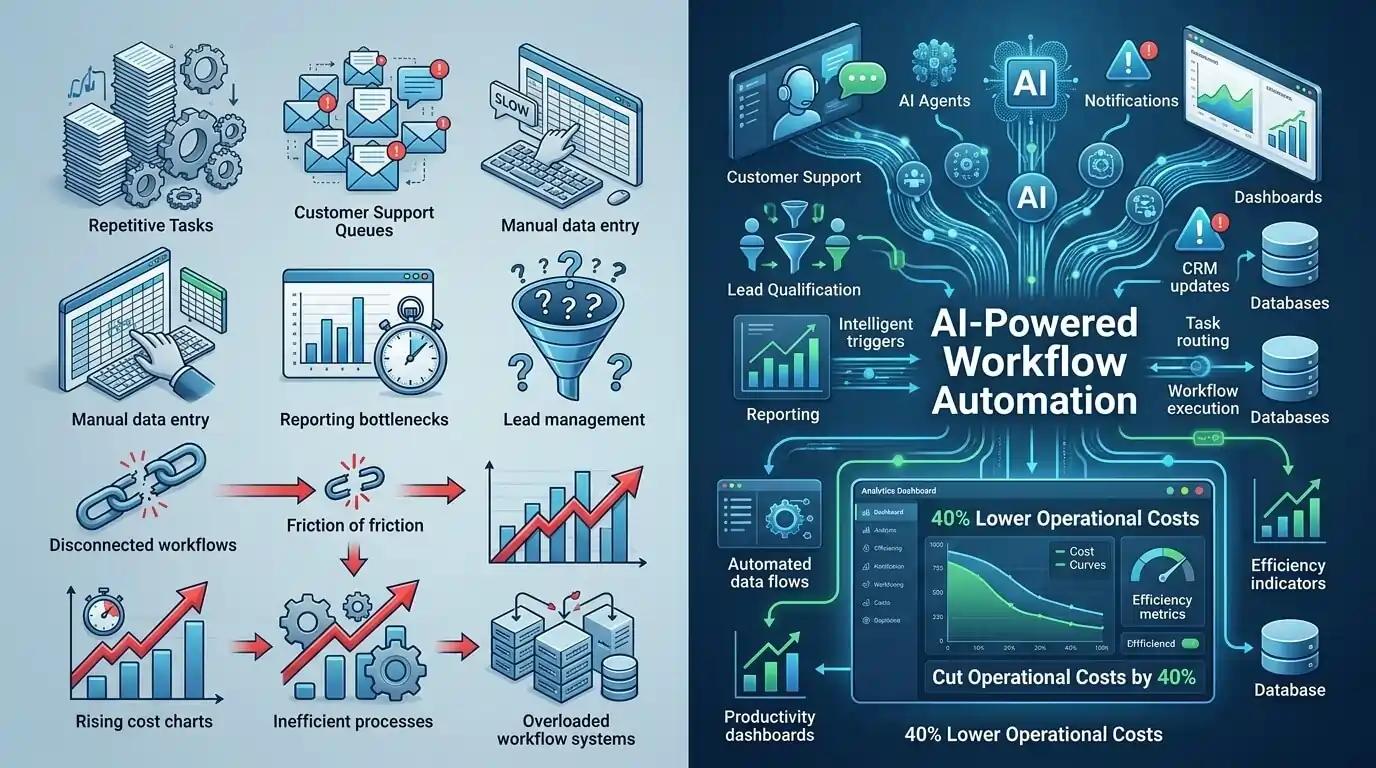
Most SaaS founders spend 30-40% of their operational time on repetitive, non-revenue-generating tasks. Data entry, customer onboarding sequences, invoice processing, support ticket categorization, and email management consume hours that could be spent on product development or closing deals. At XenonDev, we've worked with over 50 early-stage SaaS companies, and nearly all of them were leaving significant efficiency gains on the table by relying on manual workflows and scattered tools.
The good news: AI automation has become accessible, affordable, and genuinely transformative for lean teams. We're not talking about science fiction—we're talking about integrating GPT-4, Claude, and specialized LLMs into your existing workflow to handle document processing, customer communication, data extraction, and decision-making at scale. Companies implementing these systems see 40-60% reductions in manual work within 60 days.
This guide walks through exactly how to identify, plan, and implement AI automation in your SaaS product or operations—without hiring a separate AI team or spending $50K+ on enterprise solutions.
Where SaaS Founders Actually Waste Time (And Where AI Wins)
Before you start automating randomly, you need to map your actual time sinks. We recommend a 2-week audit where you (or your team) track every task taking more than 10 minutes. The patterns are usually obvious: repetitive customer communications, manual data entry, document processing, lead qualification, report generation, and content moderation.
Here's what we see most often: founders spend 4-6 hours weekly answering the same customer questions via email. Support teams manually triage tickets into categories before assigning them. Onboarding requires someone to send the same sequence of emails with slight personalization. Finance teams copy invoice data into spreadsheets for reporting. Marketing teams manually tag and segment leads. Every single one of these tasks is a prime automation candidate.
The Three Automation Categories That Actually Move the Needle
1. Document & Data Processing: PDFs, emails, forms, and images containing structured or semi-structured data are perfect for AI. Tools like Claude's document parsing or GPT-4 Vision can extract information, validate it, and route it to the right system. A logistics SaaS we worked with saved 16 hours weekly by automating invoice processing from 200+ supplier PDFs.
2. Customer Communication & Routing: AI can draft, categorize, and route support tickets, generate personalized onboarding sequences, and handle first-response triage without human intervention. A B2B SaaS platform we built reduced time-to-first-response from 4 hours to 8 minutes by implementing an AI-powered ticket classifier that automatically assigned priority levels and suggested responses.
3. Reporting & Decision Support: Monthly reports that take 6 hours to assemble manually can be generated in minutes. AI analyzes data, identifies trends, flags anomalies, and creates actionable summaries. We implemented a KPI dashboard powered by GPT-4 that synthesized data from five different sources and generated weekly business summaries—saving our client 8 hours weekly and improving decision velocity.
Building Your Automation Roadmap: What to Automate First
Not all automation projects are equal. Some will take 2 weeks and save 2 hours weekly. Others will take 3 weeks but eliminate 15 hours of weekly work. To prioritize correctly, score potential automation projects on three dimensions: time saved weekly, implementation complexity, and business impact.
The Automation Priority Matrix
High Impact + Low Complexity (Do First): These are your quick wins. Document processing tasks, repetitive email responses, lead scoring, and ticket triage typically fall here. Expect 2-3 week implementations that save 5-10 hours weekly. Start here to build momentum and internal confidence in automation.
High Impact + High Complexity (Plan strategically): These are worth doing but require planning. Full workflow redesigns, multi-stage decision systems, and integrations across 5+ tools might take 6-8 weeks but yield 15-20 hours of weekly savings. Queue these after your first wins are in place.
Low Impact but Low Complexity (Nice-to-have): These save 1-2 hours weekly and take 1-2 weeks. Only pursue these after high-impact projects are live. Low Impact + High Complexity (Skip): These aren't worth your time. Avoid them entirely.
The Scoring Worksheet We Actually Use
For each potential automation, score 1-5 on: (1) Weekly hours saved, (2) Revenue impact (does it help close deals, reduce churn, or improve retention?), (3) Implementation difficulty (1=simple API integration, 5=requires custom LLM fine-tuning), (4) Risk of errors (1=low-stakes, 5=high legal/compliance risk), (5) Your team's ability to maintain it. Multiply impact scores, divide by complexity, and prioritize the top 3-5 projects. We used exactly this framework with a fintech SaaS and identified that automating their customer onboarding document verification (typically 45 minutes per customer) was their highest-value first project.
The Tech Stack: Which Tools Actually Work Together
You don't need a PhD in machine learning to implement AI automation. The modern stack is surprisingly simple and accessible. Here's what we recommend for 90% of SaaS founders: an LLM provider (OpenAI, Anthropic, or open-source options), a no-code automation platform, and your existing business tools.
LLM Providers: Which One for Your Use Case
GPT-4 (via OpenAI API) is the safest choice for most startups. It excels at language understanding, complex reasoning, and code generation. Use it for customer communication, content generation, and decision-making workflows. Claude (via Anthropic) is exceptional for document analysis and structured data extraction—it's more reliable for parsing PDFs and long documents. For cost-sensitive operations, Llama 2 or Mistral (open-source) work well for simple tasks like classification and routing, and you can run them locally to avoid API costs.
Workflow Platforms: The Connective Tissue
Zapier remains the easiest entry point—it connects to 5,000+ apps and now has native AI functions. For more control, Make (formerly Integromat) offers more sophisticated workflow logic. If you need tight integration with your own product and have a technical co-founder or developer, building custom workflows via Python (using Anthropic's or OpenAI's SDKs) gives you full flexibility and often costs less at scale.
Our recommendation: Start with Zapier + GPT-4 for your first 2-3 automation projects. It's fast, requires zero coding, and you'll learn what automation works for your business. Once you're confident, migrate high-volume workflows to a custom solution for better cost efficiency.
Implementation in 4 Weeks: A Real-World Timeline
This is the timeline we use when implementing automation for our clients. It's realistic and accounts for the inevitable surprises that emerge during integration.
Week 1: Audit, Design, and Tool Setup
Document the exact workflow you're automating. Get specific: "Customer fills out signup form → receives welcome email → marked as 'onboarded' in CRM → added to weekly digest list." Create sample test data (at least 50 examples) that represent edge cases and normal scenarios. Set up API keys for your LLM provider and no-code platform. Define the success metric: what does success look like quantitatively? (e.g., "90% accuracy rate," "reduce manual work from 6 hours to 1 hour weekly")
Week 2: Build, Test, and Validate
Build the workflow in Zapier or your chosen platform. Start simple: take your first piece of data, send it to the LLM, and capture the response. Test with your sample data and iterate on the prompt (this is usually where most of the time goes). Refine until you hit 90%+ accuracy. Document the workflow and your best-performing prompt for future reference.
Week 3: Integration and Error Handling
Connect your workflow to your actual business systems (CRM, database, email provider). This is where the real challenges emerge. Set up error handling: what happens when the API times out? When the LLM response doesn't match expected format? When the email delivery fails? Create a manual review queue for edge cases (usually 5-10% of inputs). Start with a pilot on 10% of real data.
Week 4: Launch, Monitor, and Optimize
Roll out to 100%. Monitor closely for the first week: check error rates, response quality, and system performance. Adjust API parameters and prompts based on real-world results. Establish a weekly audit process where someone samples 20-30 outputs to catch degradation early. Document lessons learned and known limitations for your team.
Costs, Risks, and Managing Expectations
Let's be honest about the downsides. AI automation is powerful but imperfect. Hallucinations happen. Edge cases break workflows. Running GPT-4 on 10,000 document pages costs money. And someone still needs to maintain and improve the system as your business changes.
Real Cost Expectations
GPT-4 API costs are roughly $0.03 per 1,000 input tokens and $0.06 per 1,000 output tokens. If you're processing 10,000 documents monthly (average 500 tokens each), expect $150-300/month for the API alone. Add Zapier at $19.99-99/month depending on usage volume, and you're at $170-400 monthly for a typical small SaaS implementation. This assumes 90%+ of tasks are automated—you still need 1-2 hours weekly of human oversight and maintenance.
The Hallucination Problem and How to Prevent It
LLMs occasionally invent data when they don't know the answer. This is unacceptable in high-stakes scenarios (legal documents, financial data, medical information). Your defense: (1) Never fully automate high-risk decisions—always require human review or approval, (2) Design prompts that force the LLM to reference source material ("Answer only based on the provided document"), (3) Use structured outputs—ask for JSON responses with specific fields rather than free-form text, (4) Set up quality gates that flag suspicious outputs automatically.
Your First Automation Project: A Concrete Example
Let's walk through a real example we recently completed for a B2B SaaS platform. The company was receiving 150-200 support emails daily and spending 4-5 hours on triage and first-response: categorizing tickets, assigning priority, and drafting initial responses. We automated the entire workflow in 18 days.
Setup: Zapier captured incoming emails via Gmail, sent them to GPT-4 with a detailed prompt asking for category classification (Bug, Feature Request, Billing, General), priority level (1-5), and a draft response. The response was returned to their CRM (HubSpot) for assignment. Manual review queue captured 5% of emails flagged as uncertain.
Results: Time-to-first-response dropped from 4 hours to 12 minutes. 89% of draft responses required no edits. Support team now focuses on actually solving problems instead of admin. Monthly AI costs: $280. Time saved: 20 hours weekly ($600/week in fully-loaded labor). ROI: 10:1 within the first month.
This is typical. Support automation, document processing, and lead qualification consistently show the fastest ROI. Start here if you're new to AI automation.
Your Next Step: Start Today, Not Eventually
AI automation isn't coming to your SaaS—it's here now, and your competitors are already using it. The difference between a lean team of 5 operating like a team of 12 and one that's stretched thin comes down to workflow automation. The good news: you don't need permission, funding, or a machine learning degree to start. You need 4 weeks, $500 in API costs, and clarity on what's actually killing your team's productivity.
Pick your highest-leverage manual process this week. Spend 4 hours documenting exactly how it works. Map it into Zapier. Test it with sample data. In 30 days, you'll have reclaimed 10-15 hours weekly that you can reinvest into product, sales, or simply having a life again. That's the promise of AI automation for lean founders, and it's real.
If you want a partner to accelerate this—someone who's built 50+ automation workflows and knows the edge cases before you hit them—we're here to help. At XenonDev, we specialize in exactly this kind of AI automation for SaaS founders. Let's talk about your workflow. The first conversation is free.