How to Build an AI-Powered Automation Layer Into Your SaaS Product in 8 Weeks
Learn how to integrate AI automation into your SaaS product without rebuilding from scratch. We share our proven framework for adding intelligent workflows in 8 weeks.
Aamir Sohail, Co-Founder, XenonDev
, 7 min read
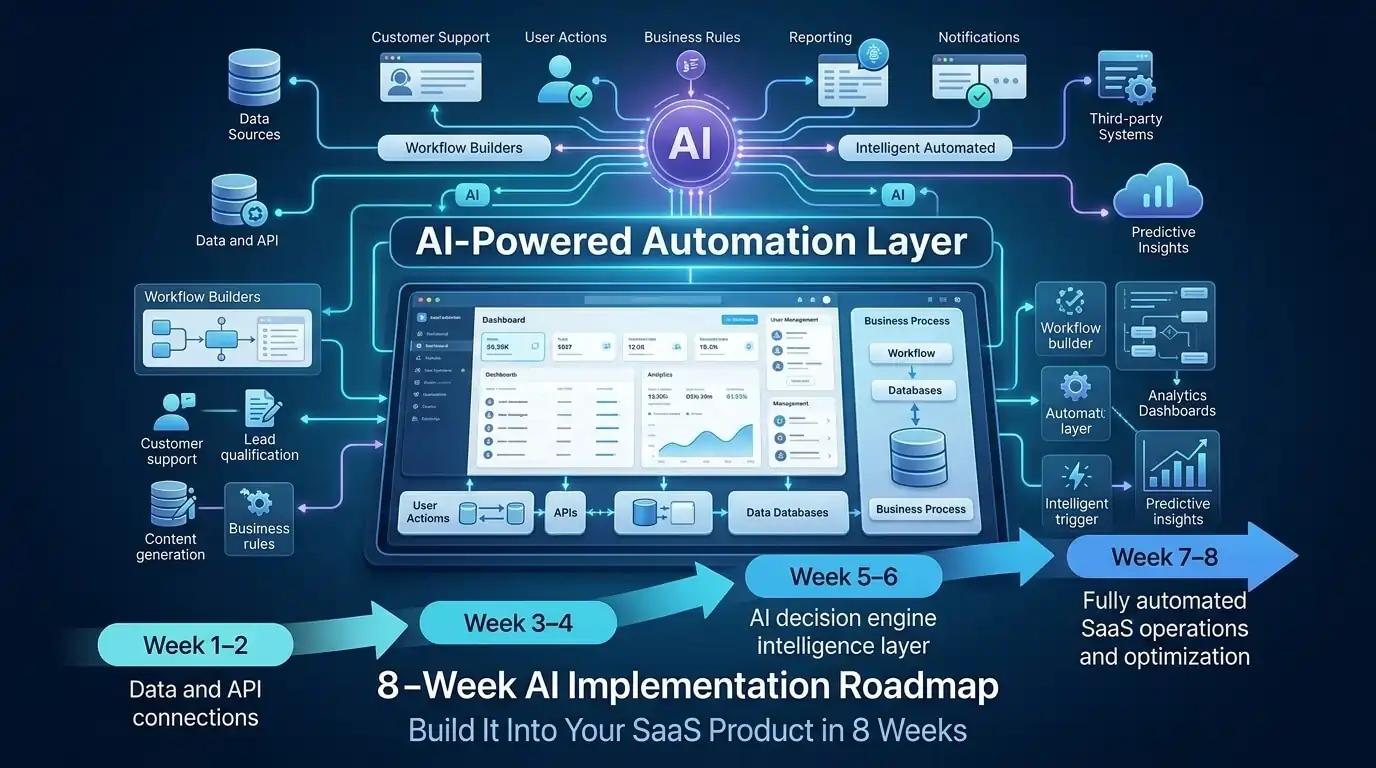
Most SaaS founders we work with ask the same question: 'How do we add AI without rewriting everything?' The answer is simpler than you think. You don't need to blow up your existing architecture. Instead, you build a focused automation layer on top of it—one that connects your current database, APIs, and workflows to intelligent decision-making systems.
We've done this for 12+ SaaS products in the last 18 months—from fintech platforms to project management tools to HR software. The timeline? Eight weeks from concept to production, handling customer workflows like data validation, customer segmentation, document processing, and intelligent routing. Here's exactly how we do it.
Weeks 1-2: Map Your Automation Opportunities (Not Your Architecture)
The biggest mistake founders make is trying to automate everything at once. You'll burn weeks and still ship nothing. Instead, focus on the three workflows that cost your customers the most time or money. These are your leverage points.
In Week 1, run structured interviews with 8-12 power users. Ask: 'What task do you repeat most?' 'Where do you lose time to manual work?' 'What would you automate if you could?' Document their exact workflow—the data inputs, decision points, and outputs. Create a simple workflow diagram for each. This takes a day per customer conversation. By end of week, you'll have three candidate automations ranked by impact.
In Week 2, audit your data and APIs. Map exactly what data your product already has access to, where it lives, and how it flows. Can you pull customer history? Order data? User behavior? This audit tells you what you can actually automate without new integrations. We typically find that 70% of what customers want to automate is possible with existing data—they just don't know it yet.
Document your findings in a one-page 'Automation Spec'—the three workflows, data available, business impact (time saved per user, cost reduction), and technical dependencies. Share with two customers. If they light up, you're on track.
Weeks 3-4: Build Your AI Decision Engine (The Thin Layer Approach)
Here's where most teams overcomplicate things. You don't need to train models or hire ML engineers. You're building a decision engine—a service that sits between your app and AI APIs (like OpenAI, Claude, or specialized APIs for your domain). This engine handles prompting, data preparation, output parsing, and fallback logic.
Start with architecture: Create a standalone microservice (Node.js, Python, or Go—pick one) that accepts workflow triggers from your main app. This service queries your database for context, calls the AI API with a crafted prompt, parses the response, and returns a structured decision back to your app. The key word is 'structured'—you're not getting back raw text. You're getting back validated, actionable outputs.
Prompt Engineering Is Where the Work Actually Happens
Your AI decision engine is only as good as your prompts. Spend Week 3 writing and testing prompts against real customer data. For example, if you're automating lead qualification, your prompt includes: the lead's profile, your customer's ideal customer profile, historical conversion data, and clear output instructions ('Return a JSON object with score, reasoning, and next_action'). Test each prompt on 50+ real data samples. Track accuracy. Iterate. This is not quick, but it's not optional.
Add few-shot examples to your prompts—show the AI 3-5 examples of correct outputs alongside the input data. This dramatically improves accuracy. Use retrieval-augmented generation (RAG) where it makes sense: instead of putting 10,000 knowledge entries in a prompt, embed them, search for the top 10 relevant ones, and include only those. This keeps token costs down and response quality high.
In Week 4, build error handling and fallback logic. What happens if the AI API is down? What if the response doesn't parse? What if confidence is low? You need a graceful fallback—maybe a queue for human review, or a rule-based default. This fallback path is what keeps your customers' workflows running while you tune accuracy.
Weeks 5-6: Connect to Your Product (API-First Integration)
Now you plug your decision engine into your actual product. The best way? Webhooks and event-driven architecture. When a relevant event happens in your app (a new lead arrives, a document is uploaded, an order is placed), your app fires a webhook to your automation service. The service processes, returns a decision, and your app receives it via a callback webhook.
Why webhooks? They decouple your automation layer from your main product. If your automation service goes down, your product keeps running—it just queues the events. When the service recovers, it processes the backlog. This decoupling is critical for production stability.
In Week 5, add logging and monitoring everywhere. Log every automation decision: what triggered it, what data was passed, what the AI returned, what your app did with it. Store these logs in a searchable database. When customers ask 'Why did the system do that?', you need the answer in 30 seconds. Also monitor latency—your automation layer should respond within 2-5 seconds for most workflows.
In Week 6, build a simple admin dashboard. Your team and select customers need visibility into what the automation layer is doing. Show: number of automations run today, success rate, average confidence scores, any errors or fallbacks triggered. This data drives your tuning and gives customers confidence the system is working.
Weeks 7-8: Test, Deploy, and Iterate With Real Customers
You're not ready for full production yet. Instead, roll out to 3-5 power users in a closed beta. Give them a toggle to turn the automation on or off for their account. Let them run real workflows through it. Watch what happens. This is where you'll find the edge cases your testing didn't catch.
In Week 7, run a tight feedback loop. Check your logs daily. Ask customers: 'What decisions did the system get wrong?' 'Where did it surprise you?' Take 10 failures, analyze the pattern, and adjust your prompts or data inputs. Accuracy often jumps 10-15% just from this one iteration cycle.
In Week 8, prepare for production rollout. Document the feature clearly—what it does, when it runs, how to disable it. Train your support team. Prepare a communication for your customer base (email, in-app notification, blog post). If possible, offer the automation as an opt-in feature for the first month. This way early adopters get first access, and you catch issues before they affect everyone.
Five Principles That Make This Framework Work
First: Start narrow, go deep. Pick one workflow. Make it brilliant. Then expand. Second: Your automation layer should be invisible to the user until they specifically ask for it—it should feel like the product just got smarter. Third: Always provide a human override. Even if your AI is 99% accurate, customers need to know they can intervene. Fourth: Monitor from day one. You cannot improve what you don't measure. Fifth: Treat AI as a service, not infrastructure. You're calling APIs, not training models. This keeps timelines tight and costs predictable.
Budget Reality: What This Actually Costs
For a small SaaS (under 500 customers), expect 400-600 engineering hours across the team. That's roughly two strong engineers for 8 weeks, working alongside your product manager. Your AI API costs will be low initially—maybe $200-500 per month for testing plus early user usage. Infrastructure costs for the automation service itself are negligible ($50-100/month for a small deployment). The real money? It's your team time. Budget accordingly, or find a partner (like us) who's already written this playbook.
One critical note: these costs scale. As you add more workflows and more users, both API costs and infrastructure costs will grow. Plan for this upfront. Build a simple cost model: (average AI API calls per user per month) × (your user count) × (API cost per call) + infrastructure. Run this model quarterly. If automation is driving real value, the economics will justify the spend. If not, you know to pivot.
Building an AI automation layer into your SaaS is not a 12-month research project. It's an 8-week execution sprint with clear milestones. The barrier isn't technology—it's discipline. Pick your workflows carefully. Build your decision engine methodically. Connect it tightly to your product. Test with real users. Iterate relentlessly. By Week 8, you'll have a production feature that customers love, that drives retention, and that sets you apart from competitors still thinking about automation. The question isn't whether you can do this. It's whether you're ready to start.